Priority Leads
CurrentPriority pricing
Exclusive, phone-verified prospects assigned through the Priority Program based on your territory and filters.
● Keep your existing lead flow
Choose phone-verified exclusive Priority Leads, guaranteed-show appointments, or live warm transfers—and spend more time in conversations that can move business forward.
A message from Financialize
Watch this overview of Financialize Priority Leads, Appointment-Set Leads, and Live Warm Transfer Leads for licensed agents.
Three ways to engage
Every option starts with the quality and exclusivity of the Financialize Priority Program. Add appointment setting or warm transfers whenever you want prospects further along in the conversation.
Your territory, filters, and Priority Program setup stay in one familiar agent portal.
Exclusive, phone-verified prospects assigned through the Priority Program based on your territory and filters.
Pre-scheduled appointments with qualified prospects, backed by our guaranteed show-up policy.
Live, warm-transferred prospects who are ready to speak with a licensed agent now.
The appointment promise
If an appointment does not show, tell us. We will work to put a replacement appointment back on your calendar within 7 business days.
Log in to your agent portal and mark the appointment as a no-show, or email support@financialize.com.
We will reschedule the appointment on your calendar within 7 business days.
If we cannot reschedule in that window, you keep the phone-verified exclusive lead and receive a $250 account credit for the appointment upcharge.
Enrollment takes minutes
You may see the options in a pop-up when you log in. If you do not, follow this path to reach the same settings.
Log in at agents.financialize.com. Select Annuities, then Priority Leads.
Annuities › Priority Leads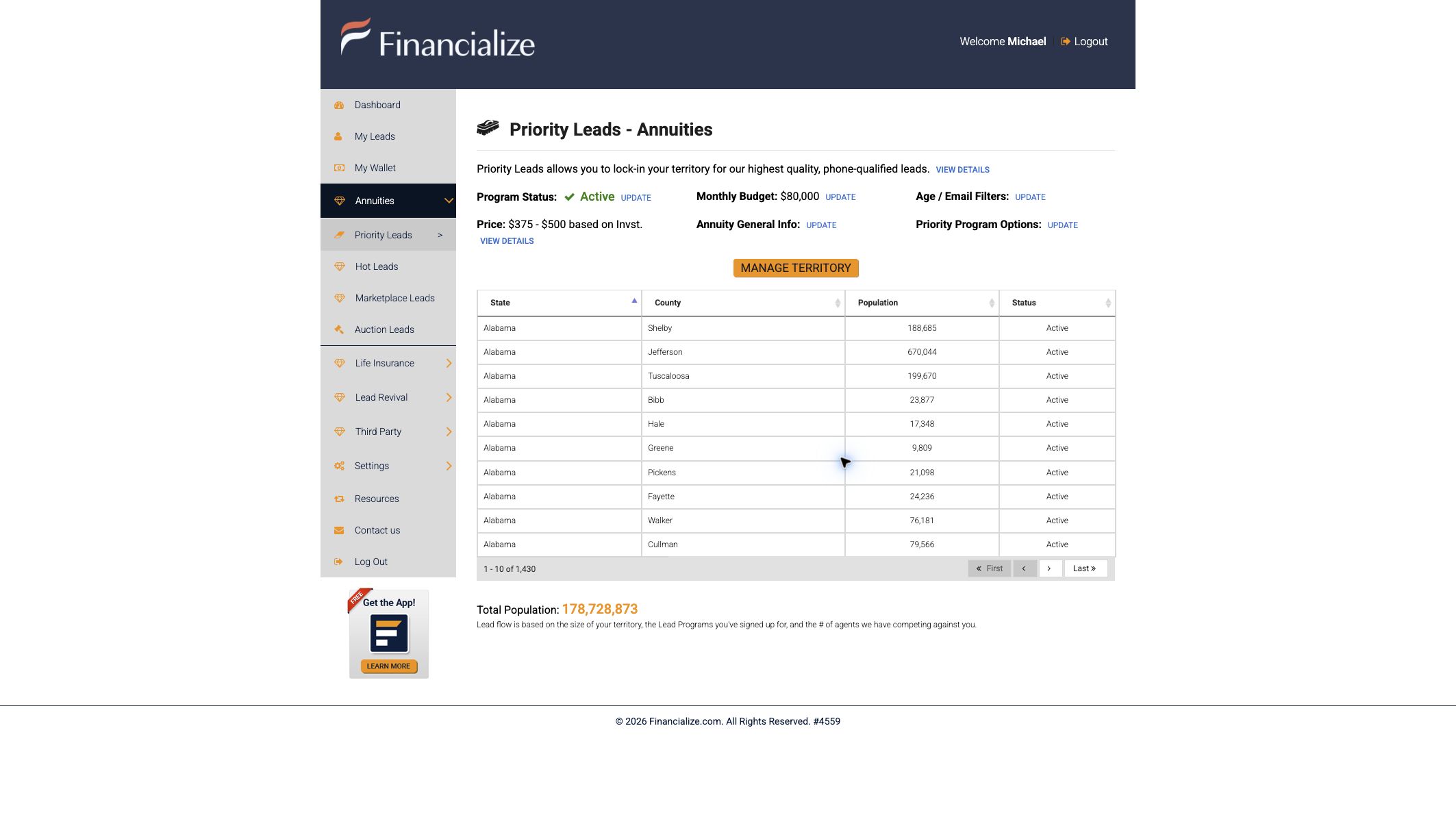
Beside Priority Program Options, select Update. Choose Appointment-Set Leads, Live Transfer Leads, or both; review the pricing acceptance; and save.
Priority Program Options › Update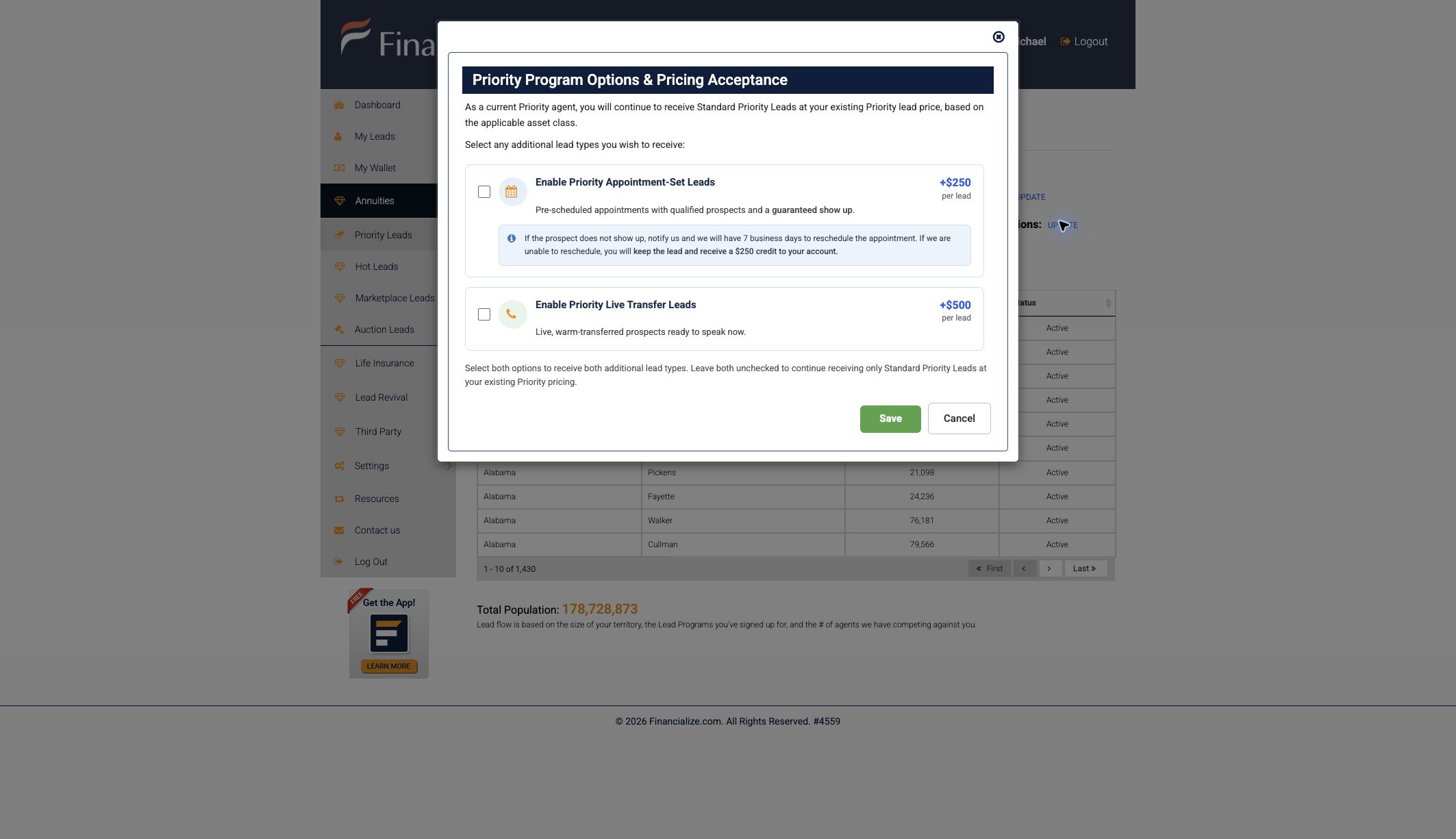
Required for appointment delivery
Appointment-Set Leads are placed on your calendar. Connect the account you actively use so new appointments and reschedules appear where you expect them.
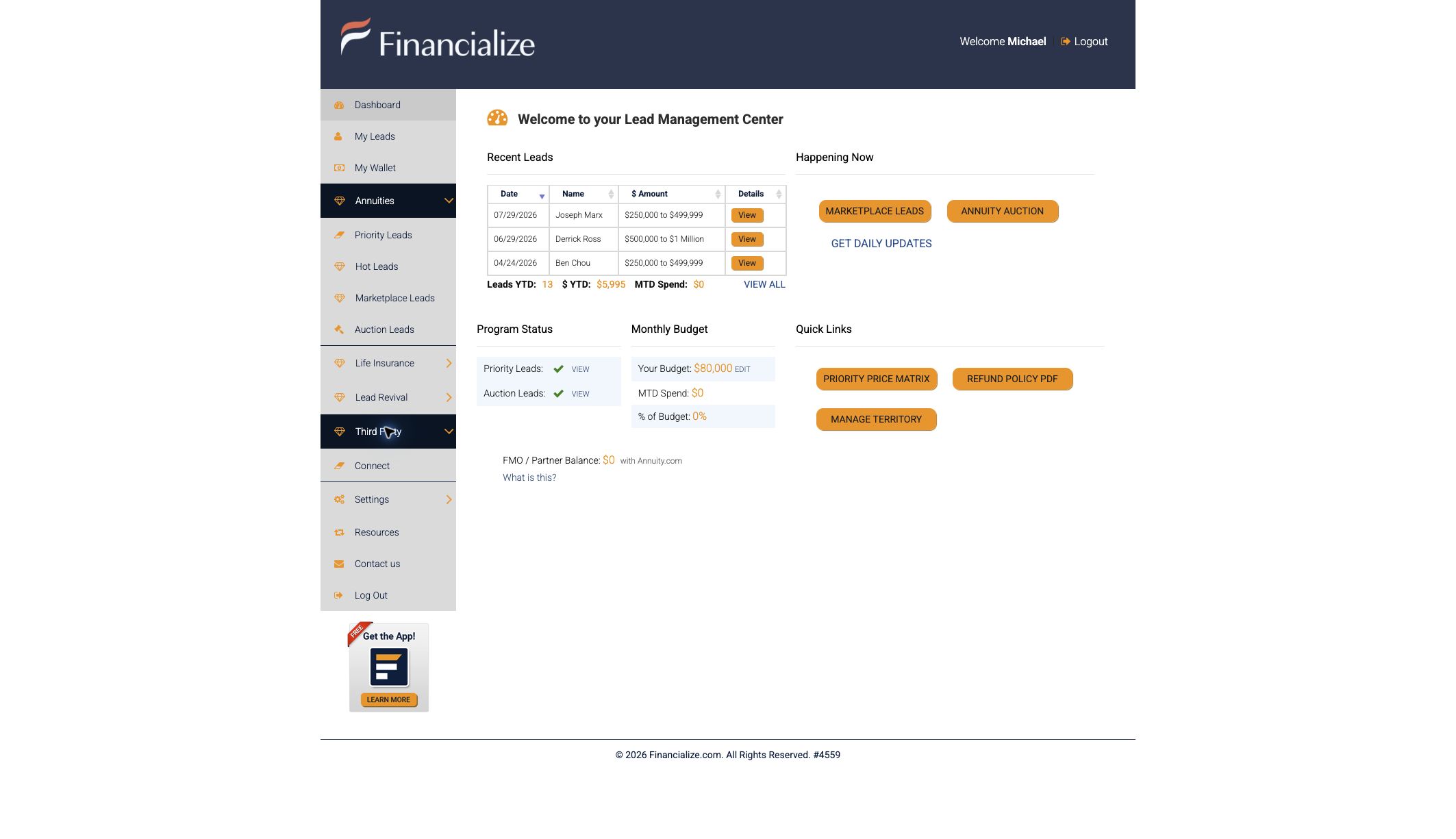
From the portal’s left navigation, expand Third Party and select Connect.
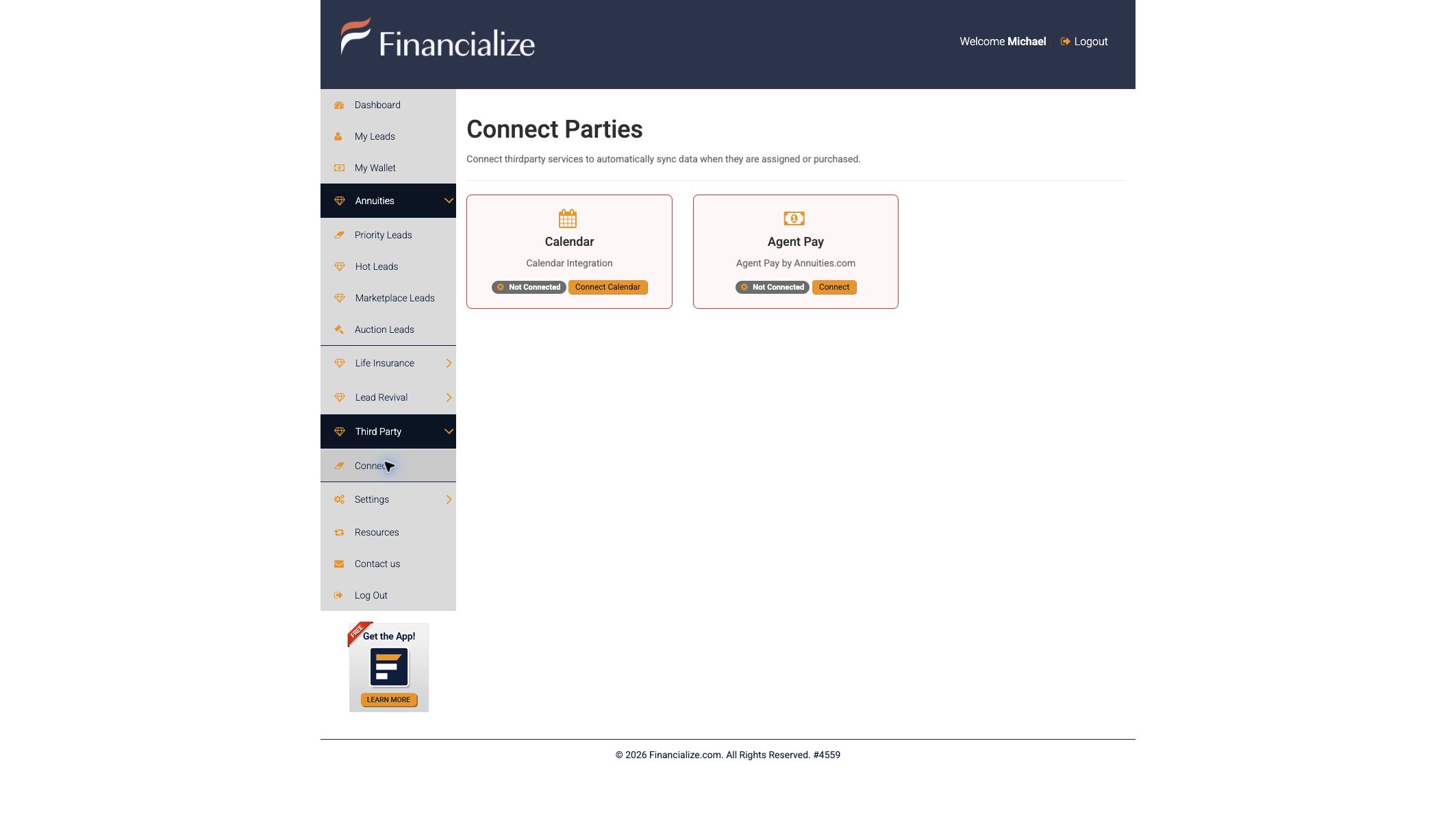
On the Connect Parties page, find Calendar and click Connect Calendar.

Select Google, Microsoft, or View all providers. Sign in, approve the requested calendar permissions, and return to Financialize.
Frequently asked questions
Find straightforward answers about Priority Leads, appointment setting, live warm transfers, pricing, the show-up guarantee, and calendar setup.
Priority Leads are exclusive, phone-verified prospects assigned to licensed agents through the Financialize Priority Program based on the agent’s territory and selected filters.
Appointment setting is a $250 upcharge on the Priority Lead. Appointment-Set Lead agents also receive the highest priority for lead assignment.
A Live Warm Transfer Lead is a $500 upcharge on the Priority Lead. The prospect is transferred live to the licensed agent for a real-time conversation.
Report the no-show in the agent portal or email support@financialize.com. Financialize will reschedule the appointment on your calendar within 7 business days. If it is not rescheduled within that window, you keep the phone-verified exclusive lead and receive a $250 account credit for the appointment upcharge.
Log in at agents.financialize.com, select Annuities, then Priority Leads. Beside Priority Program Options, select Update, choose your lead options, review the pricing acceptance, and save.
New licensed agents can begin the signup process at wizard.financialize.com. Existing Financialize agents should use the agent portal instead.
In the agent portal, open Third Party, select Connect, and choose Connect Calendar. Nylas will guide you through authorizing Google, Microsoft, or another supported calendar provider.
Yes. Financialize places new and rescheduled appointments on the calendar you connect through Nylas, so connect the account you actively use.
See the program in action
Tell us what you want to explore. A Financialize team member can walk you through lead options, enrollment, and calendar connection.
support@financialize.com